Near the end of thousands of podcast episodes, a host says some version of:
If you enjoyed the show, please rate, review, subscribe, follow, share, and tell everyone you have ever met.
Then the credits start.
The listener has just been given six jobs, no reason to choose one, and about eight seconds to remember any of them.
If you want more reviews, the answer is not to ask louder. Make the request smaller, more specific, and better timed.
First, the myth: reviews do not directly move Apple charts
Apple's ratings and reviews documentation says ratings and reviews do not directly influence Charts or Search.
That does not make them pointless.
Reviews can help a person decide whether a show is worth trying. They show that real listeners care enough to respond. The language inside them can also teach you what the audience values.
Ask for reviews because you want social proof and feedback—not because somebody promised that 20 five-star ratings would unlock the algorithm.
Give the listener one job
Choose a single call to action for each episode.
One week, ask people to follow. Another week, ask for a review. When you are launching a newsletter, make that the only request.
This feels slower, but it is easier to act on:
If this episode helped you plan your first interview, leave a review on Apple Podcasts and tell me the one question you are going to ask.
That prompt is specific. It connects the review to the value of the episode and gives the listener something to write.
Compare it with:
Please leave a five-star review.
The second request asks for praise. The first starts a conversation.
Ask after the value, not after the housekeeping
The best moment is immediately after the listener has received something useful, funny, moving, or surprising.
That may be:
- after the guest gives the answer promised in the title;
- at the end of a strong story;
- during a short post-credits note from the host;
- in the follow-up email for the episode;
- when a listener sends positive feedback privately.
Do not bury the request after two minutes of sponsor messages, next-week previews, and production credits. The emotional reason to respond has faded.
For an interview show, record a flexible 15-second request that refers to the episode:
If Ana's budgeting method made something click for you, leave a review and tell us which part you will try. I read every one.
It sounds like it belongs there because it does.
Ask a question people can answer
“What do you think of the podcast?” is a large, blank page.
Try one of these:
- Which episode would you send to a friend?
- What made you become a regular listener?
- Which guest changed your mind about something?
- What should we go deeper on next?
- Where do you listen to the show?
- What is one thing you used after hearing this episode?
Apple itself recommends asking listeners to describe what they like, the episode that made them a regular, or a favourite guest. Specific prompts produce more distinctive reviews and more useful feedback.
Rotate the question every few weeks. Repetition makes the call to action disappear into the furniture.
Explain how to leave the review
People who make podcasts know where the review button is. Many listeners do not.
On Apple Podcasts, a listener opens the show page, scrolls to the Ratings & Reviews section, chooses a star rating, and taps Write a Review. A listener can leave one review per show and edit it later.
Give those instructions in the show notes or on a simple page you can link from every episode. Keep the spoken version short:
Open our show in Apple Podcasts, scroll to Ratings & Reviews, and tap Write a Review. The link is in the notes.
Spotify's podcast feedback features and interfaces can differ from Apple's review system, so name the platform you mean. “Review us wherever you listen” may send people looking for a button that does not exist in the same form.
Remember that Apple reviews are regional
Apple ratings and reviews are tied to the listener's Apple Account country or region. A review left by a Canadian account is visible in the Canadian storefront.
This creates two common surprises:
- A listener says they left a review, but the host cannot see it in their local storefront.
- A show has meaningful reviews spread across several countries, so the public count in one market looks smaller than the global response.
Creators can view ratings and reviews from different countries in Apple Podcasts Connect. A review-monitoring tool can make the international view much easier, especially when the audience is spread across markets.
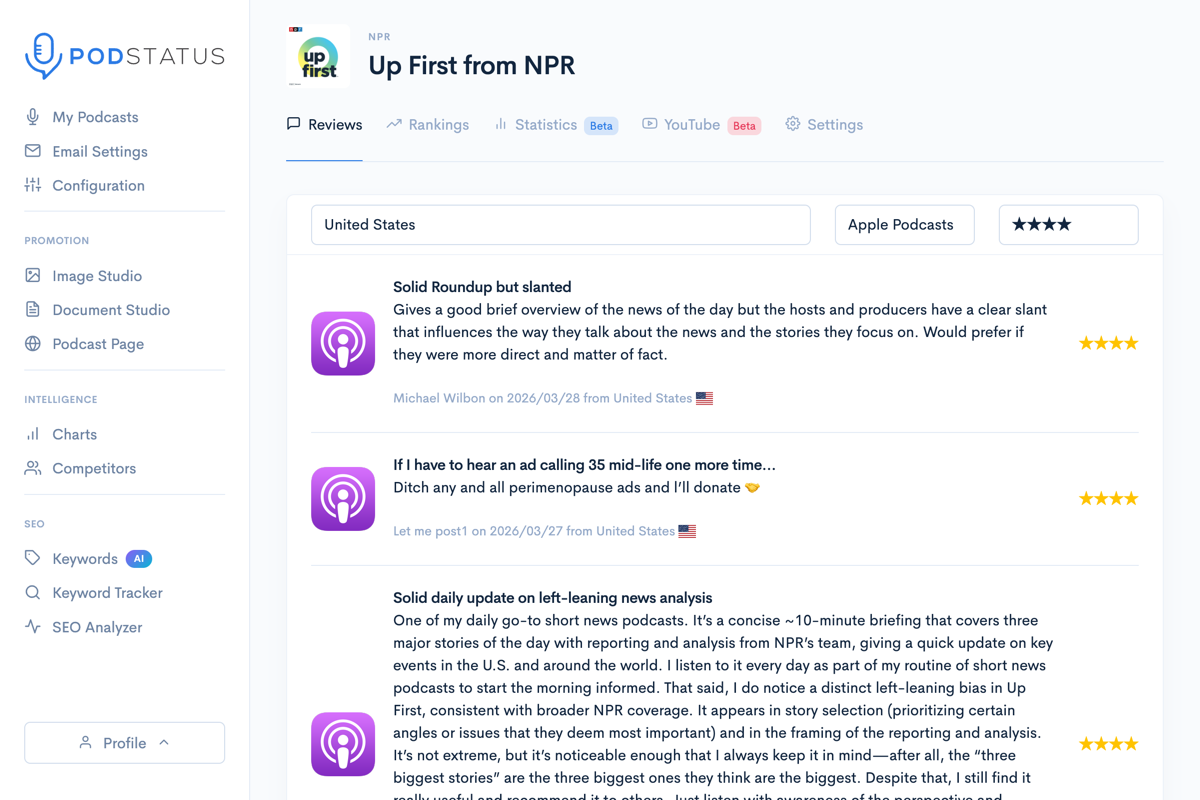
Podstatus monitors Apple Podcasts reviews across countries and can alert you when a new one appears. The review tracking feature is for exactly this problem.
Put review requests in more than one place
Not everybody reaches the final minute of every episode. Use a few quiet, consistent placements:
- a short spoken request in selected episodes;
- one line in the show notes;
- a link in the newsletter footer;
- a reminder in the welcome email for new subscribers;
- a social post that shares a thoughtful existing review;
- a review link on the podcast website.
Do not publish the same “please review us” post every Tuesday. Show people why reviews matter and what happens to the feedback.
For example:
Maya asked for more behind-the-scenes episodes in an Apple Podcasts review. We made one. It is out Thursday.
Now the audience can see that somebody is listening.
Turn reviews into editorial research
Copy the text into a simple theme list:
- favourite episodes;
- memorable guests;
- outcomes listeners achieved;
- words people use to describe the show;
- recurring requests;
- confusion or complaints.
After 20 or 30 reviews, patterns appear. Those patterns can inform:
- episode topics;
- trailer copy;
- the show description;
- sponsor pitches;
- testimonials;
- which back-catalogue episodes to resurface.
Ask permission before using a listener's full name or personal story in marketing. A public review is visible, but that does not mean every reviewer expects to become an advertisement.
Respond to criticism without starting a courtroom drama
Some reviews will be unfair. A few will be about the app, an advert inserted by somebody else, or a political disagreement presented as an audio-quality problem.
Still, check whether the criticism repeats.
One complaint about a long intro is an opinion. The same complaint in six reviews, plus a visible drop in completion during the intro, is evidence worth acting on.
If a review contains spam or abusive material, Apple provides a reporting process. Do not ask fans to pile onto the reviewer. Nothing makes a small problem look larger faster than mobilising an audience against one person.
Do not buy or trade reviews
Avoid:
- paid five-star review packages;
- review swaps with unrelated shows;
- giveaways that require a positive review;
- asking people who have not listened;
- staff creating several accounts;
- scripts that automatically submit ratings.
Besides violating the spirit—and potentially the rules—fake reviews are strategically useless. They cannot tell you what the audience values, and sponsors can recognise generic praise.
A smaller set of specific reviews is more convincing than a wall of “Great show! Must listen!”
A four-week review campaign that does not feel like a campaign
Week 1: choose the question
Pick one question connected to the show's current focus. Create a direct Apple Podcasts link and add the instructions to the show notes.
Week 2: make one spoken request
Place it after the strongest moment in the episode. Keep it under 20 seconds.
Week 3: share what you heard
Read one useful review, with permission where needed, and say what it changed or confirmed.
Week 4: review the response
Count new reviews, group the themes, and decide whether to repeat the request next month. Do not judge the effort only by star average.
A script you can adapt
If you have listened to a few episodes, I would love to know which one made you stick around. Open our show in Apple Podcasts, scroll to Ratings & Reviews, and tell me the episode in a sentence or two. I read them, and it helps me decide what to make next.
It is direct. It explains the reason. It asks for a real answer.
Most importantly, it sounds like a person talking to another person.
If international reviews are getting hard to keep up with, compare the best podcast review tracking options or set up automatic review monitoring with Podstatus.